Your phone, finally quiet.
A personal AI assistant answers your calls, screens out spam and sales, and only rings you for the people who matter. Everything else waits in a tidy inbox you handle on your own time.
Screens the noise, all of it.
Your assistant answers every call, finds out who is calling and why, takes a message, and politely ends robocalls and cold sales before they ever reach you. It will not leak your info or your whereabouts, no matter how the caller pushes.
Rings you for the people who matter.
Add someone to Contacts and they get a warm hello by name — and your VIPs ring straight through to you. Everyone else leaves a message.
A tidy, triaged inbox.
Every screened call becomes a summary and full transcript, sorted by urgency so the ones that matter rise to the top.
Take notes by voice.
Call your own assistant and it knows it is you. Dictate a note or a reminder, and it schedules a real nudge even when the app is closed. Your PIN unlocks read-back.
Block for good.
Block a number and it never gets through again. It is turned away before a call even starts.
Keep your number.
You get a new Parlo number that sits in front of your line. Your real number and your texts stay yours.
Your assistant, in your pocket.
The Parlo app for iPhone puts the inbox, reminders, and your VIP list a tap away, and rings you the moment someone who matters calls.
Coming soon to the App Store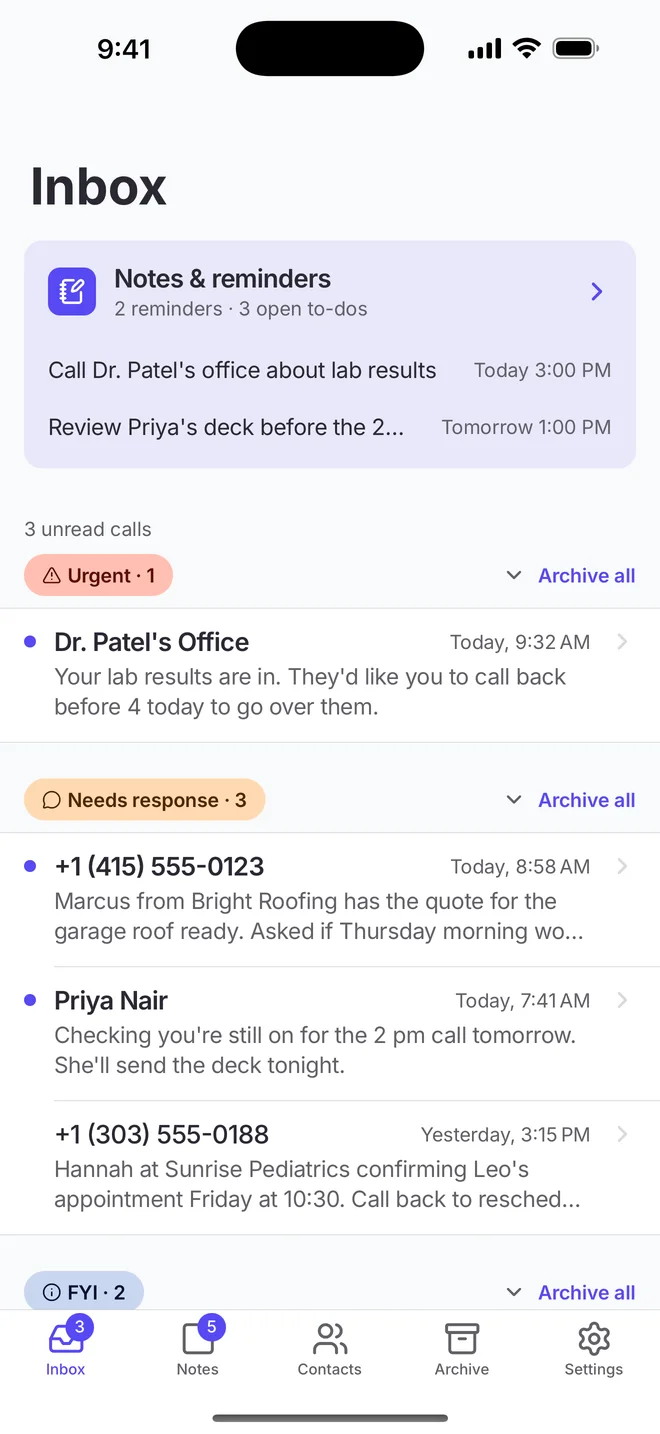
A triaged inbox.
Every call, summarized and sorted by urgency.
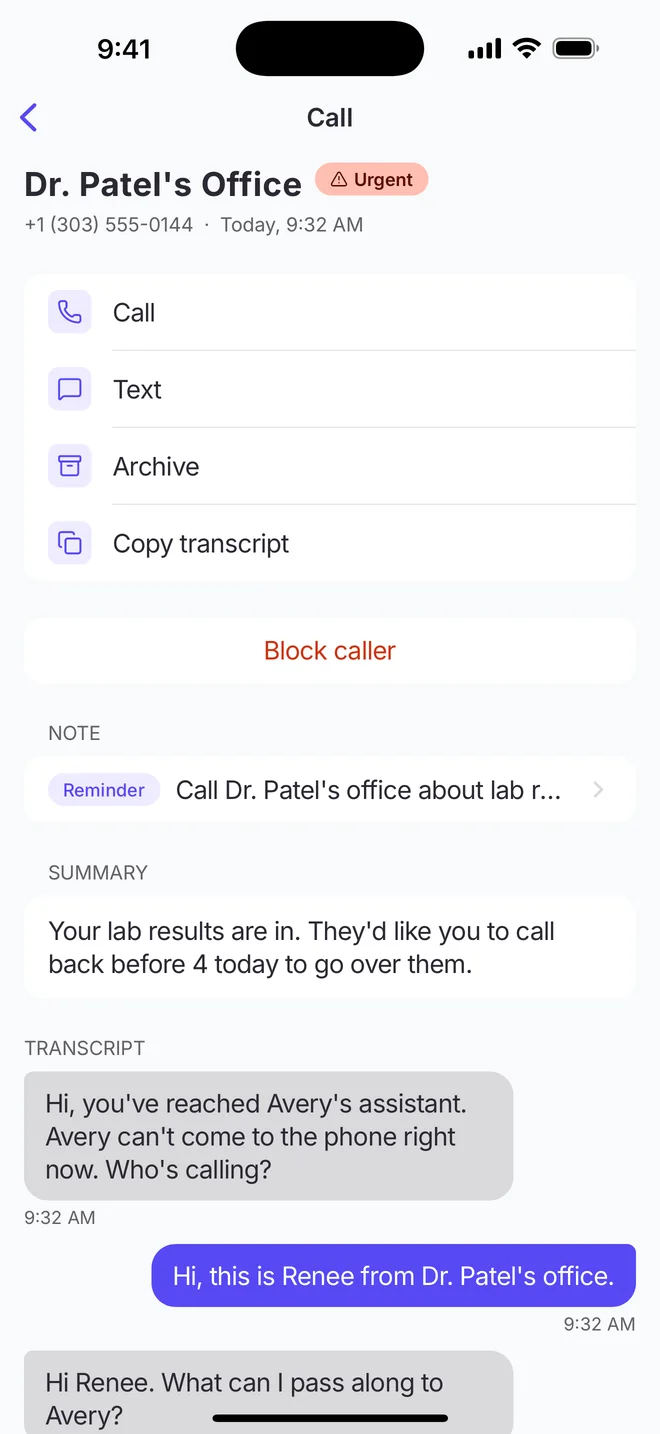
Read the call.
Summary and full transcript, with one-tap call back.
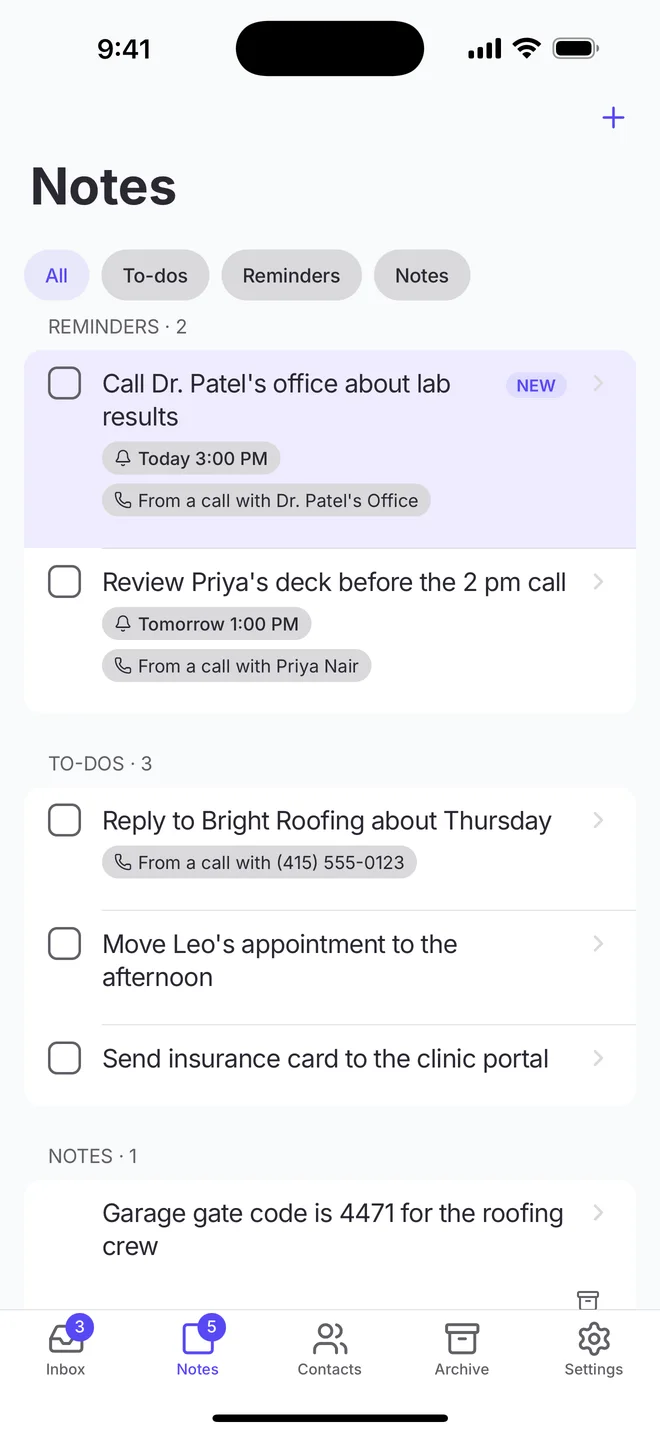
Messages become reminders.
To-dos and nudges pulled straight from your calls.
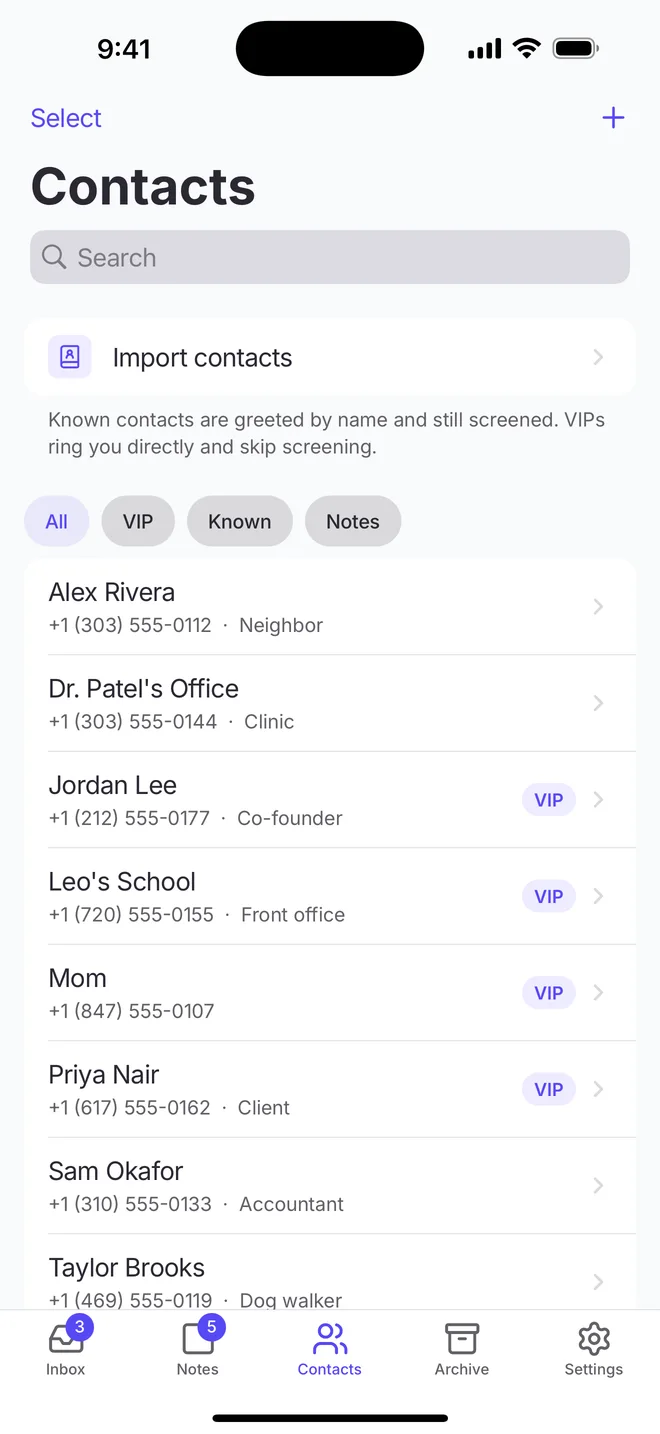
VIPs ring through.
Everyone else is greeted by name and screened.
Take back your attention.
Set up your assistant in a couple of minutes and never take another spam call.
Get Started